Strive AV partner platform
Mass Coms: mass emergency communication system
Mass Coms is a mass emergency communication system that sends one prepared alert to every phone, desktop, speaker and screen on a premises, then records who is safe. Strive AV is the installation partner: we survey the site, fit and connect the PA, signage and displays the alert has to reach, and run the first drill with your team.
Platform list price: £0.90 per person of capacity per year plus a £299 setup fee. Integration with existing PA, signage and door systems: typically £2,000 to £8,000 per site.

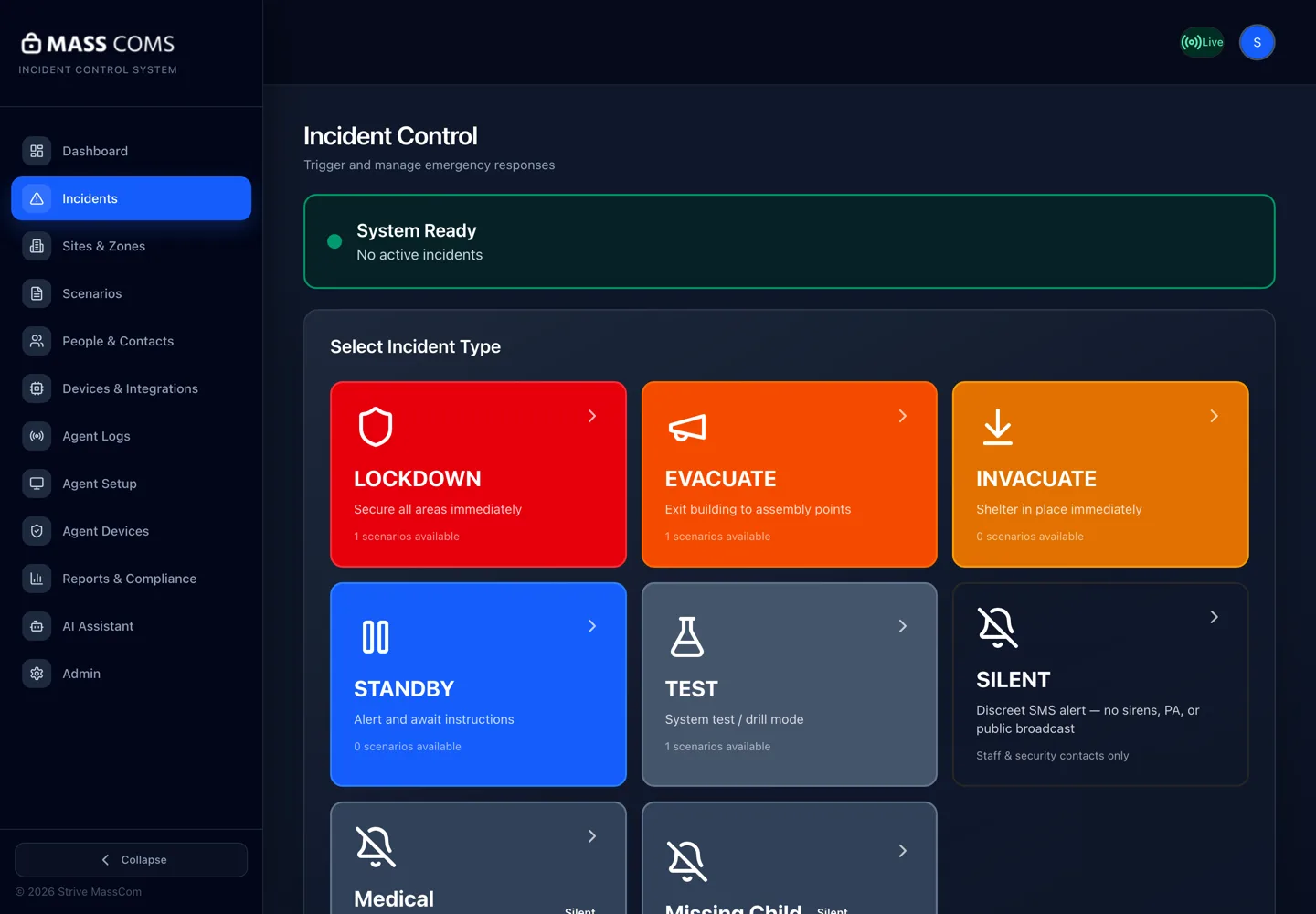
- What it is
- Emergency notification and response platform for UK schools, workplaces and venues
- Channels
- Staff app, SMS, voice call, email, desktop alert, PA, digital signage
- Scenarios
- Lockdown, evacuation and invacuation
- Hosting
- UK servers, encrypted at rest and in transit
- Sister products
- MassCasts signage and MassVisit visitor management
How a Mass Coms alert runs
The work is done before the incident. On the day, one authorised person makes one decision, and the platform carries the instruction to every channel and keeps the record.
- 1
Prepare
Lockdown, evacuation and invacuation scenarios are built in advance: the instruction, who receives it, and which channels fire.
- 2
Trigger
An authorised member of staff selects the scenario on their phone or the web dashboard and confirms the incident details.
- 3
Alert
Phones, desktops, the PA and screens carry the same instruction at once, routed by zone where floorplans are set up.
- 4
Account
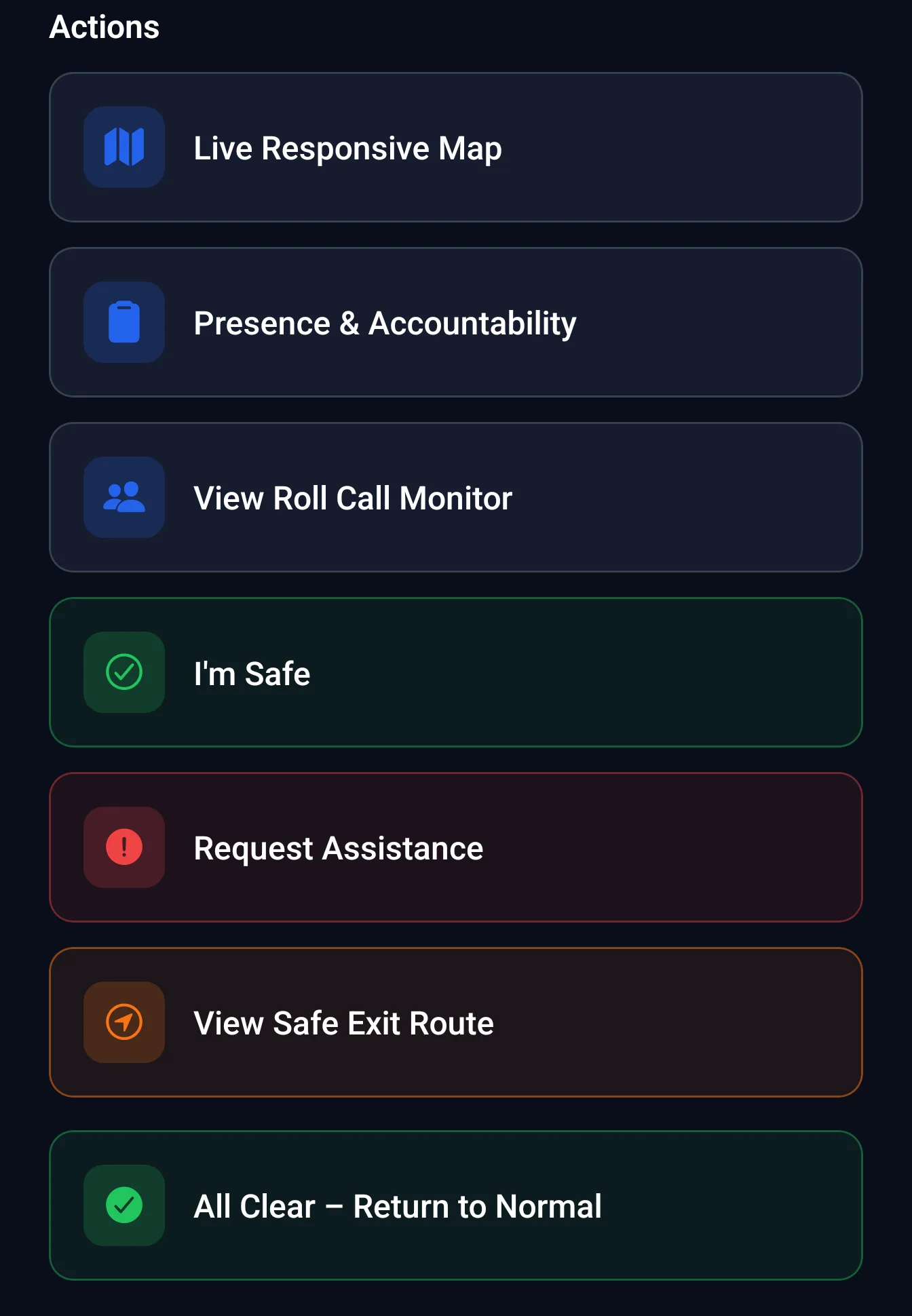
Staff reply "I'm Safe" or "Request Assistance" in the app. Roll call shows who is on site, including visitors signed in with MassVisit.
- 5
Record
Every activation and drill is logged with delivery evidence, ready for the compliance dashboard and any later review.
Inside the Mass Coms platform
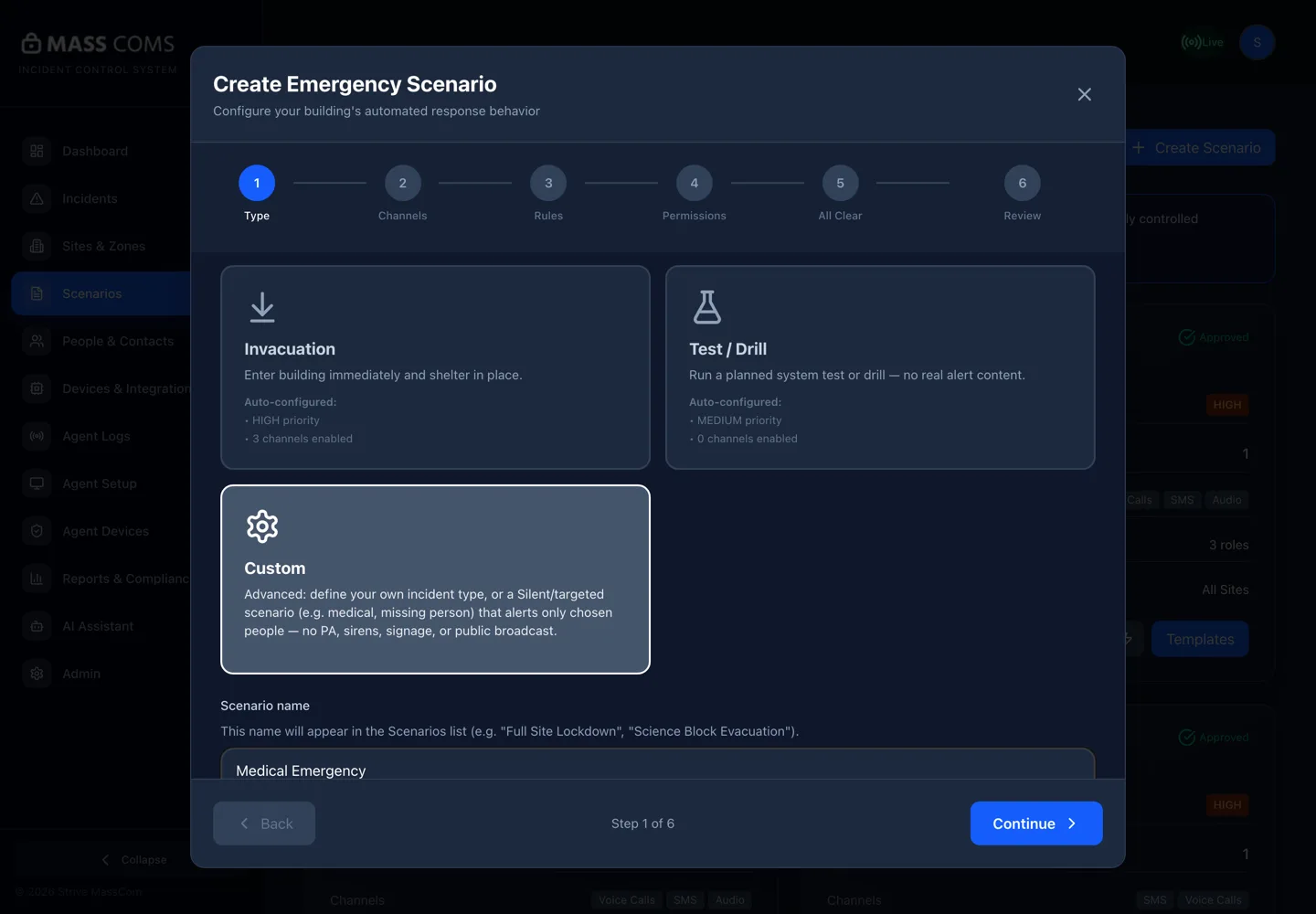
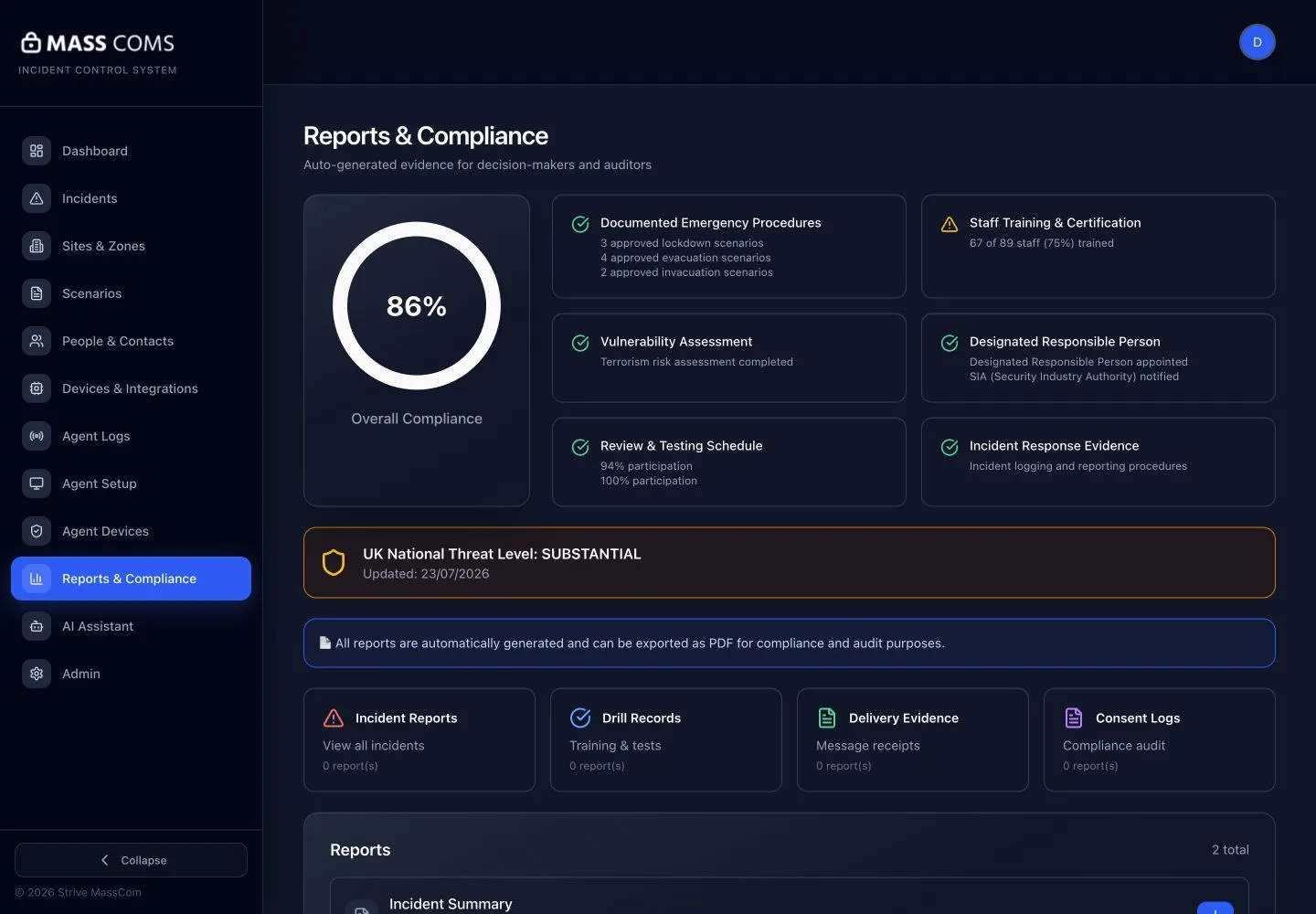
Three screens cover most of what a site lead touches: the builder where procedures are prepared, the staff app that carries the alert, and the reports that prove the drill happened.
Alert channels, and what Strive AV provides for each
The software reaches phones and desktops on its own. Speakers, screens and classroom boards need to be installed, zoned and connected, which is the part Strive AV delivers.
| Channel | What people receive | What Strive AV provides |
|---|---|---|
| Staff app | Push alert with the instruction, plus "I'm Safe" and "Request Assistance" replies | Rollout plan and the first test drill with your team |
| SMS and voice call | Text message and phone call to the chosen contact groups (paid add-on) | Contact group and audience setup alongside your administrator |
| The same instruction by email for people away from a phone or desk | Included in scenario setup | |
| Desktop alert | Full-screen alert on laptops and desktops running the Mass Coms agent | Agent deployment plan agreed with your IT team |
| PA | Pre-set or live voice announcement through the site PA | PA survey, zoning, speakers and the connection to the platform |
| Digital signage | MassCasts screens switch from everyday content to the alert | Screens, players, mounting and network |
| Classroom boards | Clevertouch boards switch to the lockdown message | Supply, installation and configuration of the displays |
| CAP receivers | Common Alerting Protocol alert to compatible receivers | Checked at survey against the equipment on site |
What screens show during an alert
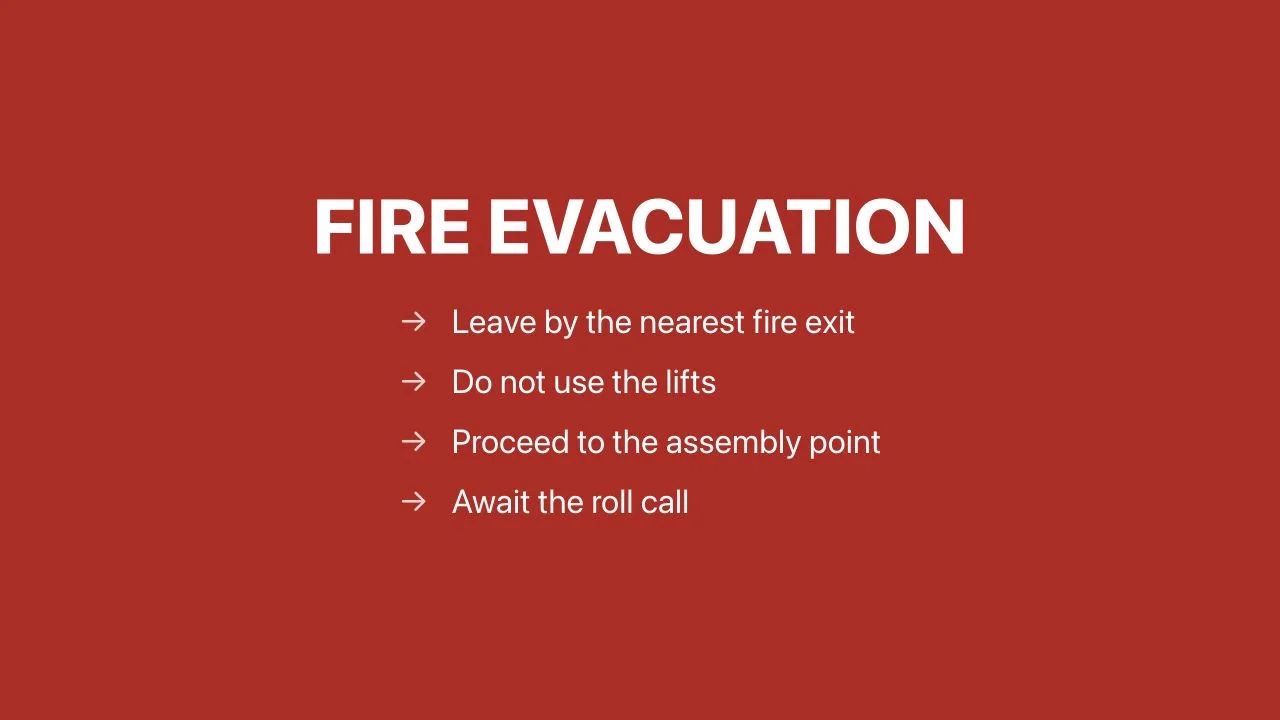
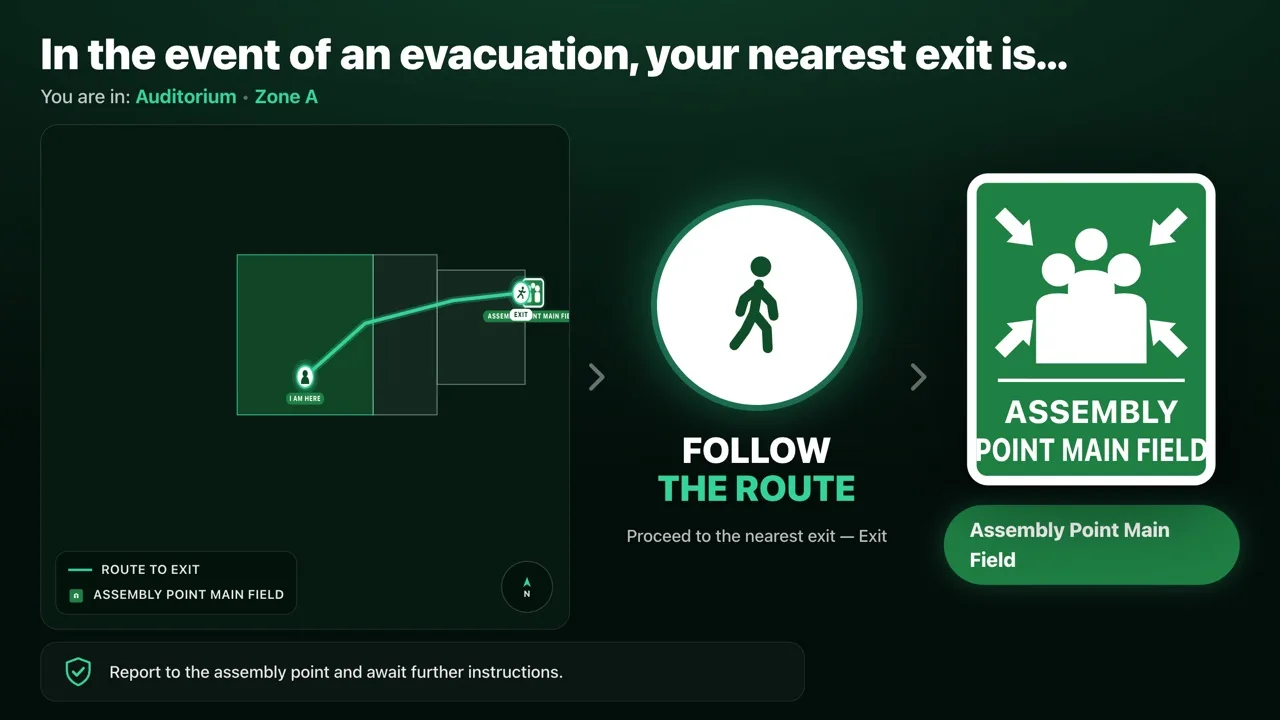
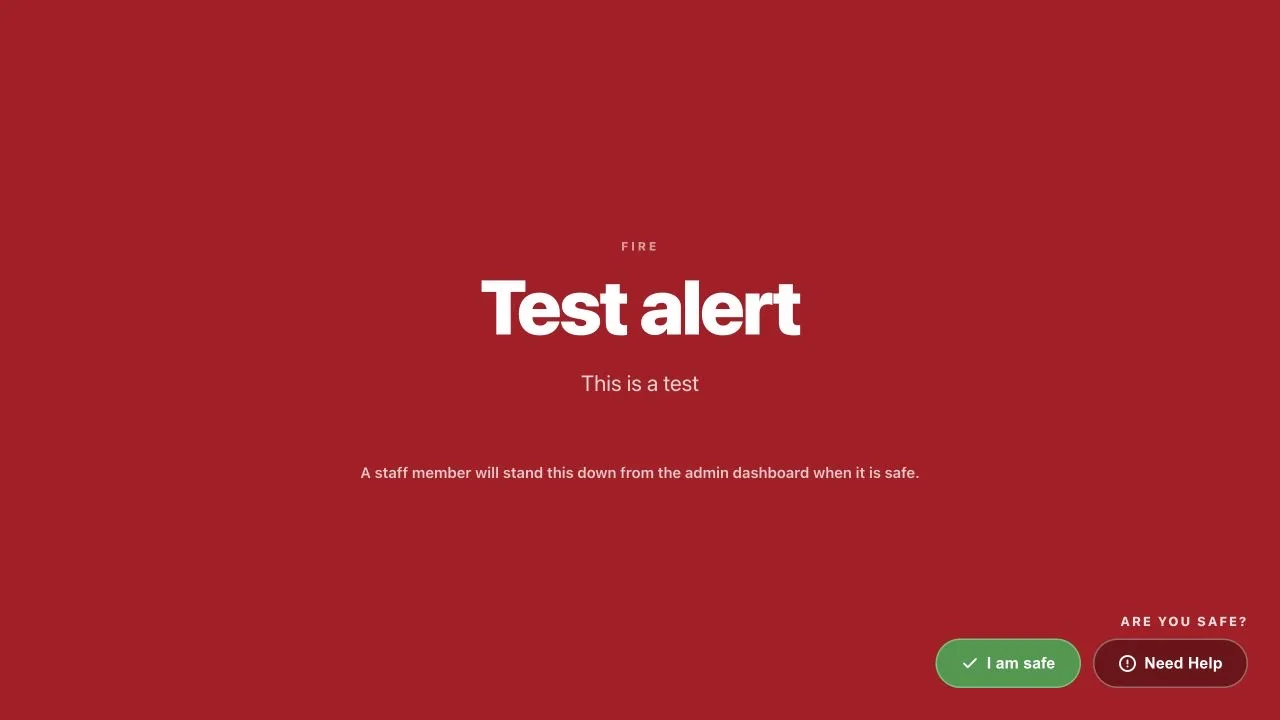
What the Mass Coms platform includes
Scenario Builder
Prepare the instruction, the recipients and the channels for each procedure before it is needed.
Multi-channel communications
Email, SMS, voice, app and staff screen alerts sent from one action.
Floorplan integration
Route actions by zone using the building layout, with floorplans set per building.
People and contacts
Target the right audiences quickly, drawing on school MIS or HR data where an integration exists.
Presence and accountability
Review recorded attendance, confirmations and follow-up after an activation.
Compliance dashboard
Readiness, drill records and audit evidence in one view.
Connector and agent
Connects supported on-site systems and delivers the full-screen desktop alert.
Integrations
CCTV, PA, Paxton Net2 door access, visitor management and digital signage in a configured response.
CAP alerts
Common Alerting Protocol output for compatible receivers.
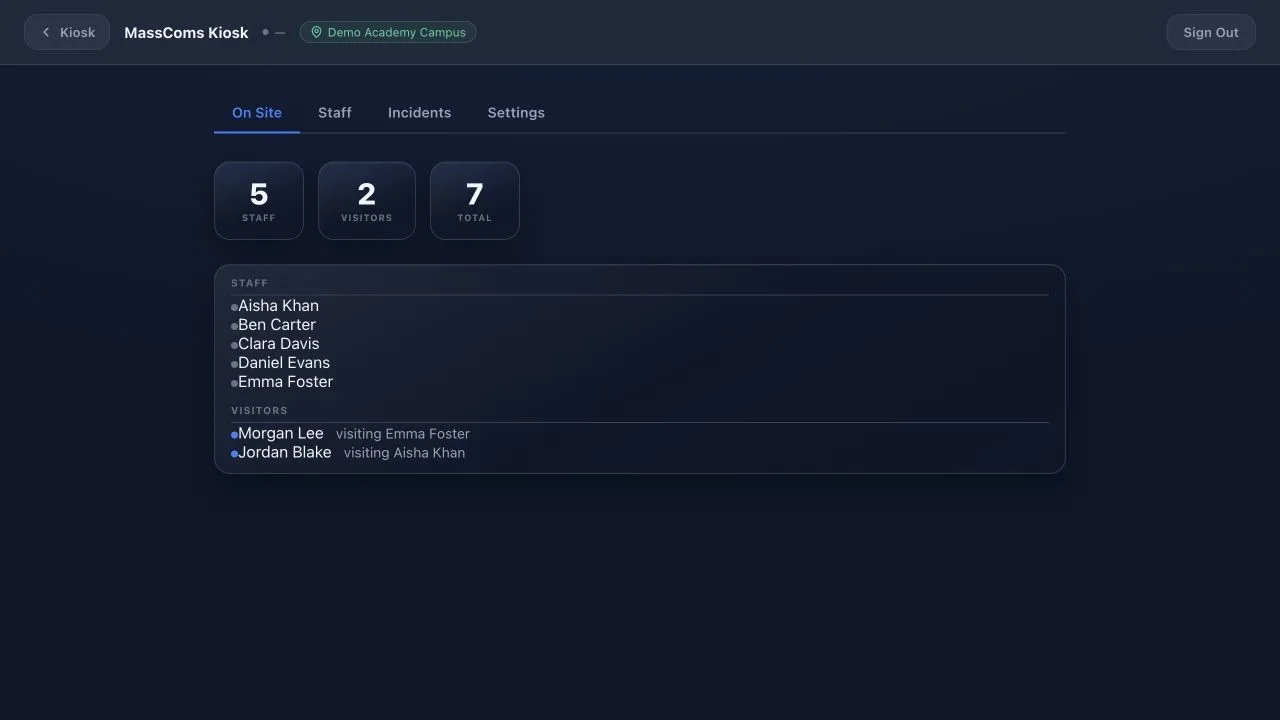
Mass Coms pricing
These are Mass Coms' published list prices, checked on 13 November 2026. Your quote confirms taxes, hardware and any third-party charges.
| Item | List price | Notes |
|---|---|---|
| Mass Coms platform | £0.90 per person of capacity per year, or £1.50 per installed agent per year if greater | Web dashboard, mobile app and Essential support included |
| Setup | £299 one-off | Billing is annual, in advance |
| SMS and voice calls | £0.20 per person of capacity per year | Optional add-on |
| Floorplan | £299 per floorplan | Needed for zone routing |
| Standard support tier | £2.00 per agent per year, minimum £1,500 | Phone support, 4 hour priority 1 target, 99.9% availability with service credits |
| Enterprise support tier | £3.50 per agent per year, minimum £5,000 | 1 hour priority 1 target, 99.9% availability with service credits |
| MassCasts digital signage | £99 per screen per year | Works on its own or as an alert channel |
| MassVisit visitor management | £499 per site per year | Adds visitors to the roll call |
500-capacity school
100 computers on Essential support: £450 a year plus £299 setup.
1,000-capacity site
100 agents on Standard support: £2,400 a year (£900 platform plus the £1,500 Standard minimum).
Strive AV integration
Connecting existing PA, signage and door access on one site: typically £2,000 to £8,000. New PA or screens are quoted after a survey.
Support tiers above are Mass Coms' own, covering the hosted platform and alert dispatch; platform availability targets are 99.5% on Essential and 99.9% on Standard and Enterprise. Strive AV's service desk for the installed PA, screens and displays runs 24/5.
Mass Coms and Martyn's Law
The Terrorism (Protection of Premises) Act 2025 asks standard tier premises (200 to 799 people) for procedures covering evacuation, invacuation, lockdown and communication, and enhanced tier premises (800 or more) for a documented public protection plan. The duties are not yet in force; the SIA expects them to start in spring 2027.
Mass Coms was built around those four procedures and the records that show they have been rehearsed. It does not decide whether a premises qualifies, the Act does not require any software, and buying a platform does not make a premises compliant: that stays the organisation's responsibility.
Our Martyn's Law compliance services map the procedures to the systems a site already has, and the free assessment shows which tier applies.
Where Mass Coms is used
Primary and secondary schools
Lockdown on classroom boards and staff phones, roll call from the school MIS, drill records for governors. Education settings stay in the standard tier at any capacity.
Colleges and universities
One platform across a multi-site estate with site-aware activation, floorplans per building and campus signage as an alert channel.
Offices and workplaces
Full-screen desktop alerts, reception and floor screens, door access on request and visitor roll call from the front desk.
Local authority, healthcare and venues
Zoned PA announcements, staff app alerts for dispersed teams and an activation log for each public building.
Mass Coms FAQs
Q.What is a mass emergency communication system?
A mass emergency communication system sends one prepared instruction to everyone on a premises at the same moment, across several channels, and records who received it and who is safe. Mass Coms does this through a staff app, SMS, voice calls, email, full-screen desktop alerts, the site PA and digital signage, with a roll call and an activation log behind it.
Q.How much does Mass Coms cost?
Mass Coms' published list price is the greater of £0.90 per person of site capacity per year or £1.50 per installed desktop agent per year, plus a one-off £299 setup fee, billed annually. A 500-capacity school with 100 computers pays £450 a year. SMS and voice calls add £0.20 per person of capacity per year, and each floorplan is £299. Strive AV's integration work with existing PA, signage and door systems typically costs £2,000 to £8,000 per site.
Q.Does buying Mass Coms make a premises compliant with Martyn's Law?
No. The Terrorism (Protection of Premises) Act 2025 does not require any particular software, and compliance stays the responsibility of the organisation. Mass Coms helps with the procedures the Act asks for (evacuation, invacuation, lockdown and communication) and with the drill and activation records that show they work. See our Martyn's Law compliance services for the wider picture.
Q.Which channels can Mass Coms alert?
Staff app push notifications, SMS, voice calls, email, full-screen alerts on laptops and desktops through the Mass Coms agent, pre-set or live announcements through the site PA, MassCasts digital signage screens, classroom boards, and compatible Common Alerting Protocol (CAP) receivers. SMS and voice calls are a paid add-on.
Q.Does Mass Coms lock doors automatically in a lockdown?
No. The Paxton Net2 integration lets an authorised person lock or unlock doors and see door status on request from within an incident, but doors are not locked automatically. That decision stays with the person running the response.
Q.What does Strive AV do that Mass Coms does not?
Mass Coms is the software platform. Strive AV surveys the site, designs and installs the hardware the alert has to reach (PA zones and speakers, signage screens and players, classroom and meeting room displays), connects it to the platform, and runs the first test drill with your team. See emergency communication systems for how the channels fit together.
Q.What is the difference between Mass Coms, MassCasts and MassVisit?
Mass Coms is the emergency alert and response platform. MassCasts is digital signage software and MassVisit is visitor management; each works on its own, and both plug into Mass Coms. With MassCasts, everyday screens switch to the alert and the exit route. With MassVisit, visitors signed in at reception appear in the roll call. See digital signage and visitor management.
Q.Who can trigger a Mass Coms alert?
Only staff the organisation has authorised. They select a prepared scenario on their phone or the web dashboard and confirm the incident details before anything is sent. Permissions are set per scenario when it is built, and a separate all-clear step returns the site to normal.
Q.How does roll call work in Mass Coms?
Roll call starts from the register of who is on site, drawn from the school MIS or HR system where an integration exists and from MassVisit for visitors. During an incident staff reply "I'm Safe" or "Request Assistance" in the app, so the person in charge can see who is accounted for and who needs help. The responses are kept in the activation record.
Q.Can Mass Coms be used for drills and tests?
Yes. A test or drill scenario runs the procedure without real alert content, and every drill is logged alongside live activations. Those drill records and delivery evidence feed the compliance dashboard, which is the evidence most premises lack when asked to show a procedure has been rehearsed.
Q.Does Mass Coms work across more than one site?
Yes. One platform covers a multi-site estate with site-aware activation, so an alert can go to one campus without disturbing the others. Mass Coms treats each geographically separate campus as a site, and floorplans for zone routing are set up per building at £299 each.
Q.Can Mass Coms use our existing PA and screens?
Usually, and that is the first thing the survey checks. An existing PA can carry pre-set or live announcements once it is connected to the platform, and MassCasts runs on low-cost Android players such as a Fire TV Stick, Android TV box, tablet or Raspberry Pi attached to screens already on the wall. Where coverage falls short, Strive AV adds speakers or screens through its installation service.
Q.Where is Mass Coms data stored?
On UK servers, encrypted at rest and in transit. Mass Coms states that critical security patches ship within 72 hours on every service tier, and platform availability targets are 99.5% on the Essential tier and 99.9% with service credits on Standard and Enterprise.
Q.Does Mass Coms replace the fire alarm or a voice alarm?
No. It sits alongside the fire detection and alarm system, which remains the life-safety installation for evacuation. Mass Coms adds the instructions a fire alarm cannot give (lockdown, invacuation, a staff-only alert, the all-clear) and reaches people who are away from a sounder or speaker. See lockdown alert systems.